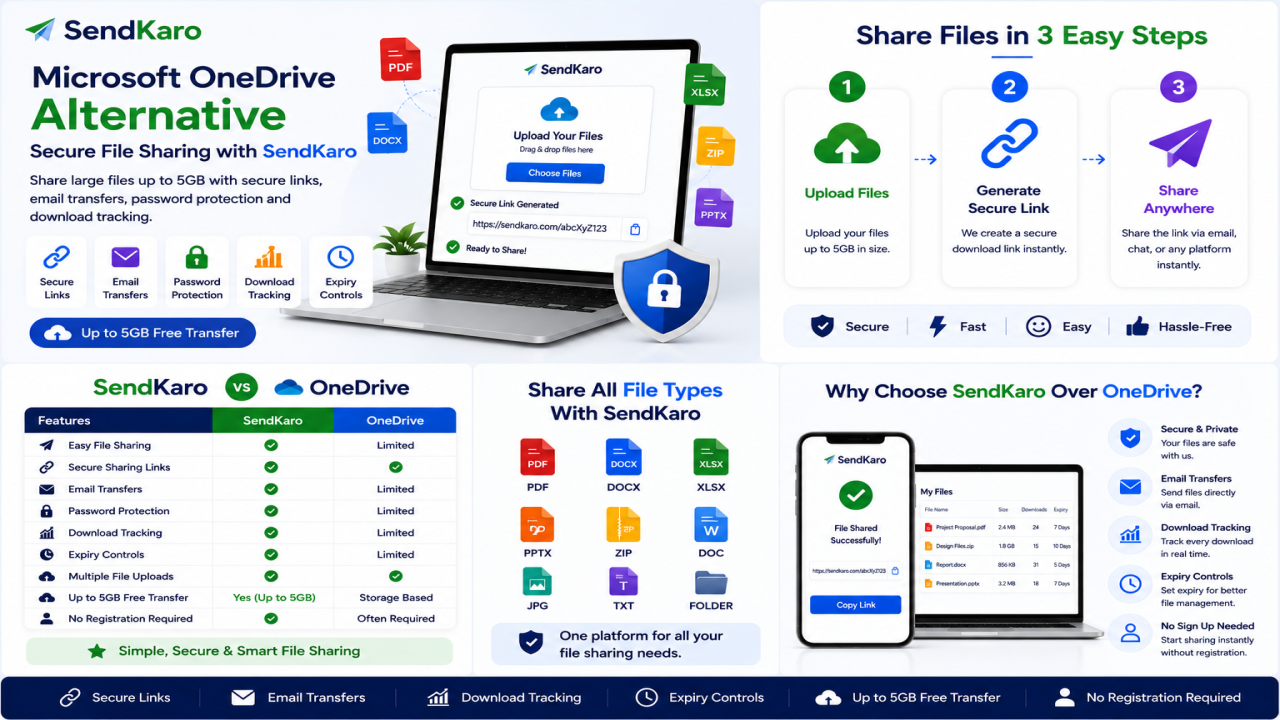

Microsoft OneDrive Alternative: Secure File Sharing with SendKaro
Introduction
Microsoft OneDrive is one of the most widely used cloud storage platforms in the world. Millions of users rely on it for storing files, accessing documents across devices, and collaborating with teams.
However, not everyone needs a full cloud storage solution.
Many users simply want a fast and secure way to send files online without managing folders, syncing devices, or navigating a storage dashboard. Whether you're sharing a PDF report, an Excel spreadsheet, a ZIP archive, or a collection of JPG images, a dedicated file-sharing platform can often provide a simpler experience.
This is why many people search for a Microsoft OneDrive Alternative.
SendKaro offers a straightforward solution focused on file transfers rather than cloud storage. Instead of storing files indefinitely, it helps users upload files, generate sharing links, and deliver documents quickly and securely.
If you're looking for a simple way to share files online, SendKaro may be the solution you're looking for.
What is Microsoft OneDrive?
Microsoft OneDrive is Microsoft's cloud storage platform.
It allows users to store files online, synchronize data across devices, and access documents from anywhere with an internet connection.
OneDrive is tightly integrated with the Microsoft ecosystem, including Microsoft Word, Excel, PowerPoint, and Outlook.
Advantages of OneDrive
Some benefits of OneDrive include:
-
Cloud storage capabilities
-
Microsoft Office integration
-
Cross-device synchronization
-
File backup features
-
Team collaboration tools
For users who need long-term file storage and synchronization, OneDrive can be a useful solution.
Limitations of OneDrive
While OneDrive is powerful, it may not be ideal for users who only need file sharing.
Common challenges include:
-
Storage management requirements
-
Folder organization complexity
-
Synchronization settings
-
Learning curve for new users
-
Features that many casual users may never need
For people who simply want to send files to someone else, a dedicated file transfer platform can often be a more practical choice.
Why Users Look for a Microsoft OneDrive Alternative
Storage Complexity
OneDrive is designed around cloud storage.
Users must organize folders, manage storage space, and often think about synchronization settings.
For someone who simply wants to send a PDF document or Excel report, this can feel unnecessarily complicated.
File Sharing Requirements
Many users need quick file delivery rather than permanent storage.
Students, freelancers, consultants, and businesses often prioritize easy sharing over storage management.
User Experience
Modern users expect simplicity.
Most people want to upload a file, create a link, and send it immediately.
Complicated storage workflows can slow down productivity.
Collaboration Needs
Organizations frequently exchange files with clients, contractors, and external partners.
Simple file sharing often improves communication and reduces friction.
Security Expectations
Users sharing business reports, contracts, research documents, and financial spreadsheets want secure file transfer methods.
A reliable sharing platform helps ensure files reach intended recipients safely.
Cost Considerations
Some users pay for cloud storage features they rarely use.
If your primary need is file sharing rather than storage, a dedicated file-sharing platform may provide better value.
Best Microsoft OneDrive Alternative: SendKaro
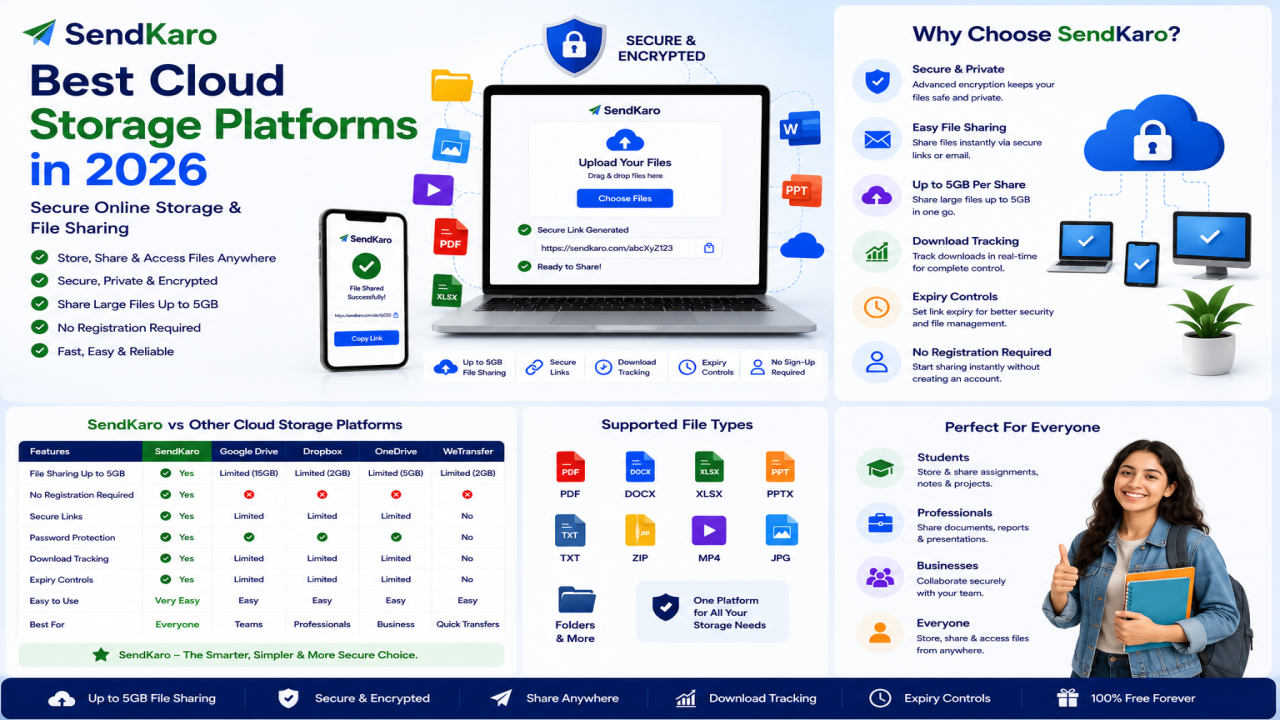
SendKaro is a file transfer platform designed specifically for secure file sharing.
Unlike OneDrive, SendKaro does not focus on long-term storage, backup, or file synchronization.
Instead, it focuses on helping users send files online quickly and efficiently.
The platform currently supports:
-
ZIP files
-
JPG/JPEG files
-
PDF files
-
Excel files (XLS/XLSX)
This makes SendKaro suitable for educational, professional, and business use cases.
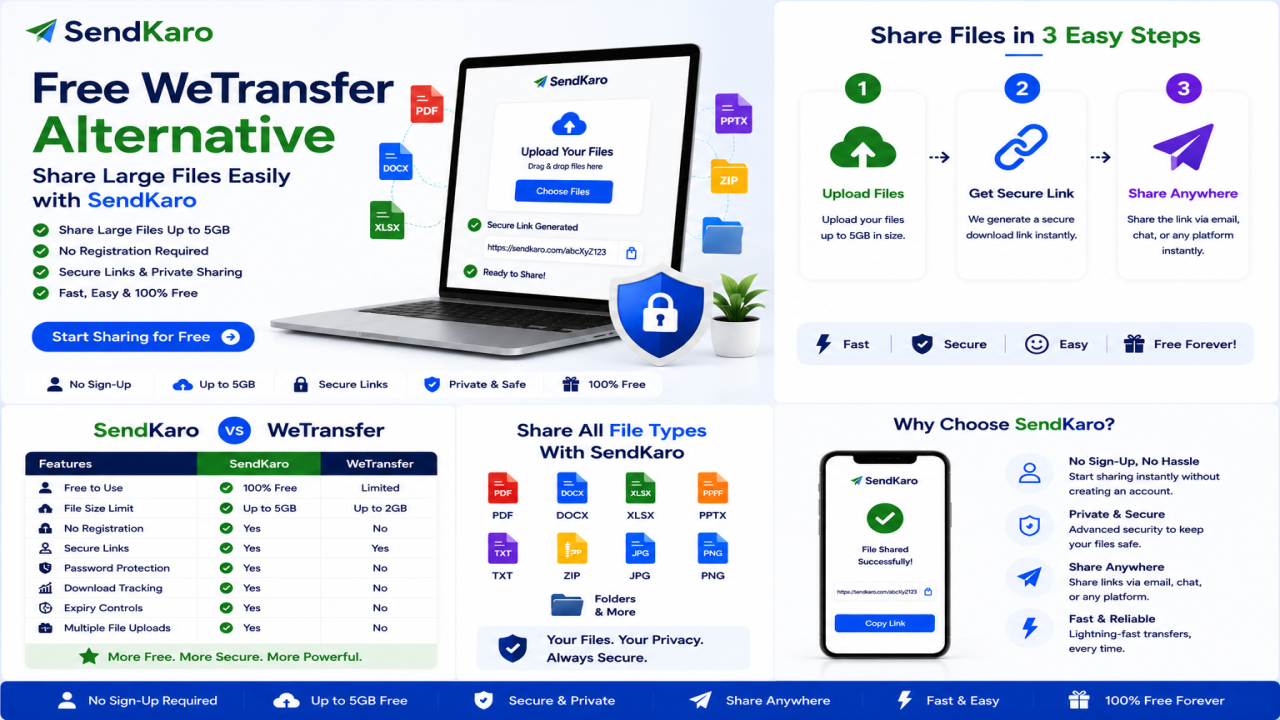
How SendKaro Works
Using SendKaro is simple:
-
Select your file.
-
Upload it securely.
-
Generate a sharing link.
-
Send the link.
-
The recipient downloads the file.
No complex setup.
No folder management.
No storage administration.
Why Users Choose SendKaro
Users choose SendKaro because it focuses on simplicity.
Common use cases include:
-
Students sharing assignments
-
Freelancers delivering project files
-
Businesses sending reports
-
Agencies sharing client assets
-
Consultants delivering spreadsheets
The platform removes unnecessary complexity from the file-sharing process.
Secure File Sharing Approach
Security is an important part of modern file sharing.
SendKaro uses secure file-transfer methods and controlled sharing links to help users share files confidently.
Whether you're sending contracts, reports, project documentation, or ZIP archives, security remains a priority.
Simplicity Benefits
Many platforms combine storage, backup, synchronization, and collaboration features into a single service.
SendKaro takes a focused approach.
Its goal is simple: make file sharing easy.
SendKaro vs Microsoft OneDrive
Ease of Use
SendKaro
-
Simple file-sharing workflow
-
Minimal learning curve
-
Fast setup
Microsoft OneDrive
-
Storage-focused interface
-
More features to manage
-
Requires folder organization
Upload Process
SendKaro
-
Upload and share immediately
Microsoft OneDrive
-
Upload to cloud storage first
-
Then manage sharing permissions
Download Experience
SendKaro
-
Direct file access through sharing links
Microsoft OneDrive
-
Shared access through cloud storage links
Security
SendKaro
-
Secure file transfer
-
Controlled sharing links
Microsoft OneDrive
-
Security features integrated into cloud storage
Accessibility
SendKaro
-
Browser-based access
-
Works across devices
Microsoft OneDrive
-
Browser, desktop, and mobile applications
Sharing Workflow
SendKaro
-
Built specifically for file delivery
Microsoft OneDrive
-
Built primarily for cloud storage and collaboration
Supported File Types
SendKaro
-
ZIP files
-
JPG/JPEG files
-
PDF files
-
Excel files (XLS/XLSX)
Business Use
SendKaro
-
Reports
-
Client deliverables
-
Documentation
-
Project files
Microsoft OneDrive
-
Long-term storage and collaboration
Student Use
SendKaro
-
Assignments
-
Research papers
-
Excel projects
-
PDF submissions
Collaboration
SendKaro
-
Easy file delivery
Microsoft OneDrive
-
Team-based cloud collaboration
Key Features of SendKaro
Secure File Sharing
Share files using secure transfer methods and controlled access links.
Fast File Transfers
Upload and share files quickly without unnecessary complexity.
Share Large Files
Send ZIP archives, PDF reports, image collections, and spreadsheets efficiently.
Cross-Device Access
Use SendKaro from desktops, laptops, tablets, and smartphones.
Simple User Experience
The platform is designed for users of all technical skill levels.
Quick Link Generation
Generate sharing links immediately after uploading files.
ZIP-Based Multi-File Sharing
Need to share multiple files?
Compress them into a ZIP archive before uploading.
This keeps everything organized and simplifies the download process.
No Technical Knowledge Required
Anyone can start sharing files within minutes.
How SendKaro Makes File Sharing Easy
Step 1: Select Your File
Choose a supported file type:
-
ZIP file
-
JPG/JPEG image
-
PDF document
-
Excel spreadsheet (XLS/XLSX)
Step 2: Upload the File
Upload your file securely through SendKaro.
Step 3: Generate a Sharing Link
Create a download link for your recipient.
Step 4: Send the Link
Share the link through email, messaging apps, or collaboration tools.
Step 5: Recipient Downloads the File
The recipient clicks the link and downloads the file.
If you're sharing multiple files, compress them into a ZIP archive before uploading.
Who Should Use SendKaro?
Students
Perfect for:
-
Assignments
-
Research papers
-
PDF submissions
-
Excel projects
Freelancers
Ideal for:
-
Project handovers
-
ZIP project packages
-
Invoices
-
Reports
Businesses
Useful for:
-
Client deliverables
-
Internal documentation
-
Contracts
-
Financial reports
Agencies
Great for:
-
Campaign reports
-
Client assets
-
Shared resources
Content Creators
Share JPG image collections and portfolio files easily.
Consultants
Transfer reports, spreadsheets, and business documents securely.
Remote Teams
Exchange files quickly between team members and external partners.
Benefits of Switching from Microsoft OneDrive to SendKaro
Many users choose SendKaro because it offers:
-
Simpler workflow
-
Faster file sharing
-
Reduced complexity
-
Easy onboarding
-
Secure transfers
-
Better experience for occasional sharing
-
No storage management headaches
For users focused on file delivery rather than storage, these benefits can make a significant difference.
Frequently Asked Questions
What is the best Microsoft OneDrive alternative?
SendKaro is a strong alternative for users looking for secure and simple file sharing.
Is SendKaro free?
SendKaro provides file-sharing solutions designed to simplify online file transfers.
Is SendKaro secure?
Yes. Secure transfer methods and controlled sharing links help protect file transfers.
What file types does SendKaro support?
SendKaro currently supports ZIP files, JPG/JPEG files, PDF files, and Excel files (XLS/XLSX).
Is SendKaro cloud storage?
No. SendKaro is a file transfer platform rather than a traditional cloud storage service.
Can I upload multiple files?
Yes. For multiple files, compress them into a ZIP archive before uploading.
How do I create a ZIP file?
Select your files, right-click, and choose the ZIP or Compress option available on your device.
Can businesses use SendKaro?
Yes. Businesses can use SendKaro for reports, contracts, documentation, and client file delivery.
Can students use SendKaro?
Absolutely. Students can share assignments, research papers, PDF reports, and Excel projects.
Why choose SendKaro over Microsoft OneDrive?
SendKaro focuses on simple, secure, and efficient file sharing without the complexity associated with cloud storage management.
Conclusion
If you're searching for a Microsoft OneDrive Alternative, it's important to choose a platform that matches your actual needs.
Many users don't need cloud storage, synchronization, or backup features. They simply need a reliable way to send files online.
SendKaro provides exactly that.
With support for ZIP files, JPG/JPEG images, PDF documents, and Excel spreadsheets (XLS/XLSX), SendKaro makes file sharing simple, secure, and efficient.
Whether you're a student, freelancer, business professional, consultant, agency, or remote team member, SendKaro helps you share files without unnecessary complexity.
Visit SendKaro.com today and discover a faster way to share files online.

Comments (0)