
SendKaro vs WeTransfer: Complete Comparison Guide
Sharing large files online has become a daily need for students, businesses, freelancers, designers, and content creators. Whether you need to send videos, photos, documents, presentations, or project files, choosing the right file-sharing platform is important.
Two popular options are SendKaro and WeTransfer.
In this guide, we'll compare both platforms and help you decide which one is best for your file-sharing needs.
What is SendKaro?
SendKaro is a modern file-sharing platform that allows users to upload and send large files quickly and securely. It is designed to provide a simple and hassle-free experience without requiring complicated setup processes.
With SendKaro, users can:
-
Send large files online
-
Share files using secure links
-
Transfer documents, images, videos, and folders
-
Access files from anywhere
-
Enjoy a fast and user-friendly interface
What is WeTransfer?
WeTransfer is a well-known file transfer service that allows users to send files through links or email. It has been used by millions of users worldwide for sharing large files.
The platform focuses on simplicity and offers both free and premium plans for file transfers.
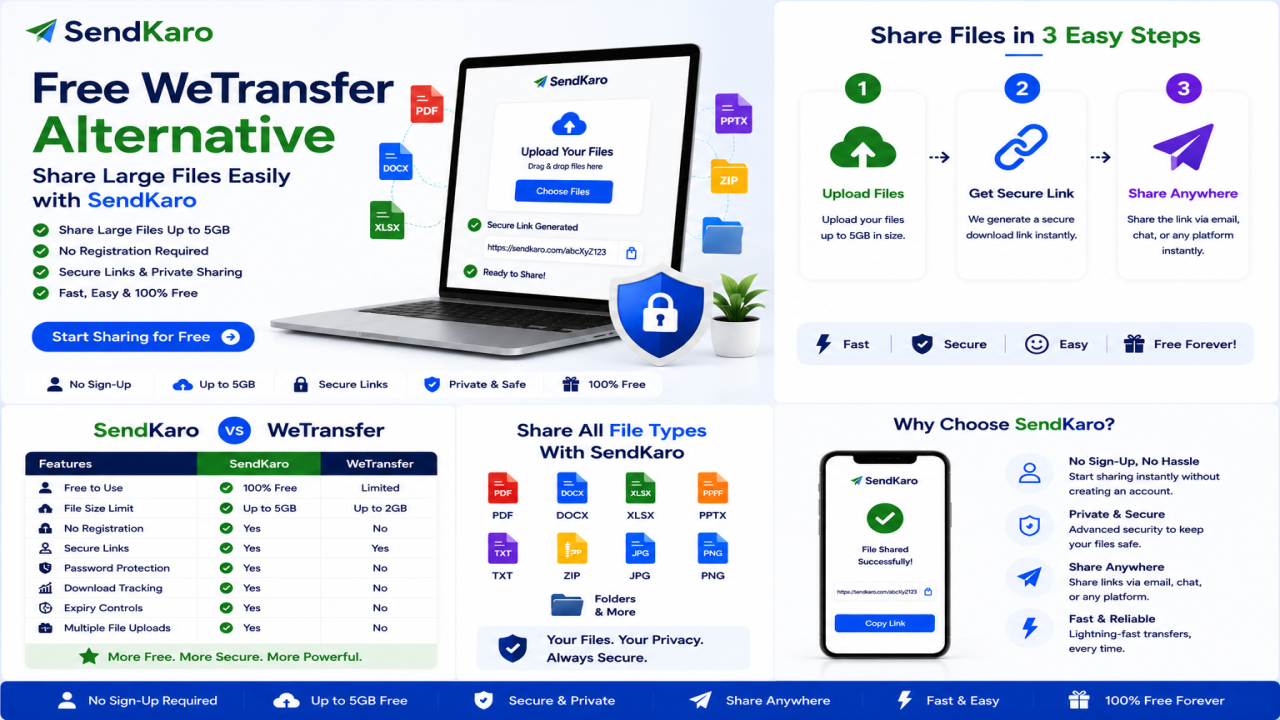
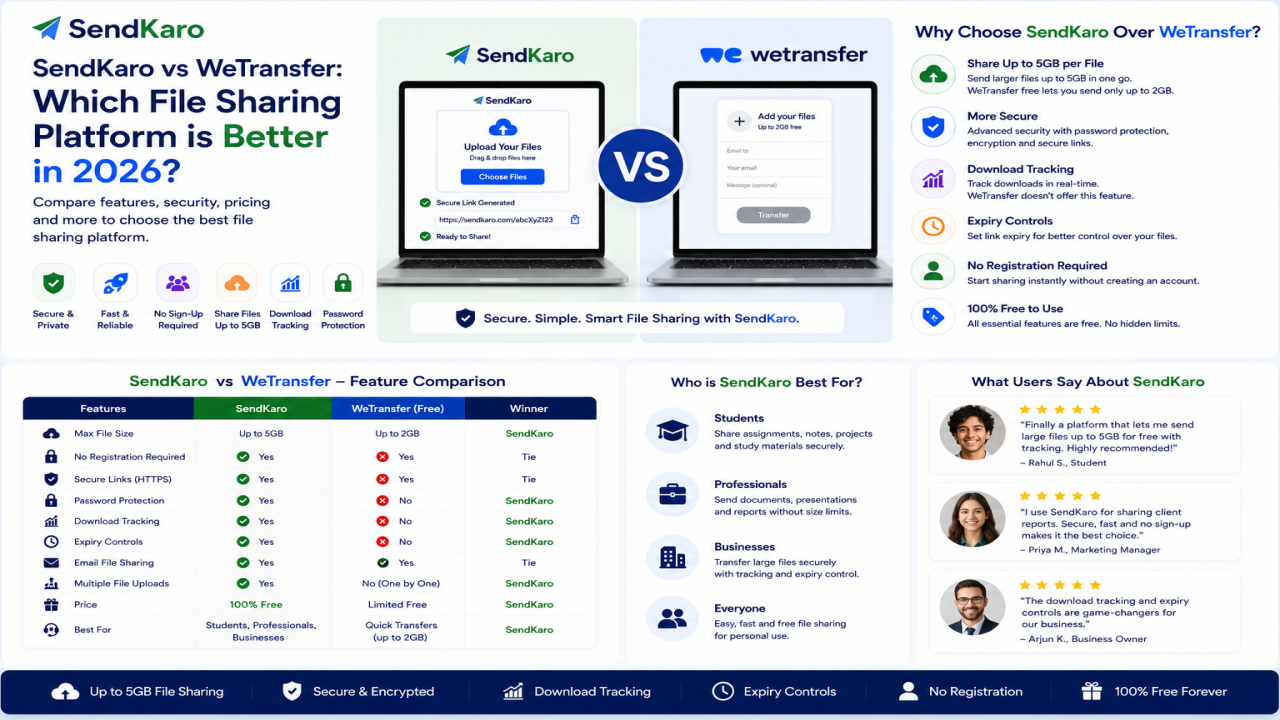
SendKaro vs WeTransfer: Feature Comparison
Easy File Upload: SendKaro ✓ | WeTransfer ✓
Secure File Sharing: SendKaro ✓ | WeTransfer ✓
Fast Transfer Speed: SendKaro ✓ | WeTransfer ✓
Simple Interface: SendKaro ✓ | WeTransfer ✓
Share via Link: SendKaro ✓ | WeTransfer ✓
Works on Mobile & Desktop: SendKaro ✓ | WeTransfer ✓
No Complex Setup: SendKaro ✓ | WeTransfer ✓
Modern User Experience: SendKaro Excellent | WeTransfer Good
1. Ease of Use
One of the biggest advantages of SendKaro is its clean and simple interface.
Users can upload files, generate a shareable link, and send it within seconds.
WeTransfer is also easy to use, but many users prefer platforms that provide a more modern and streamlined experience.
Winner: SendKaro
2. File Sharing Speed
Nobody likes waiting for files to upload.
SendKaro is optimized for smooth file uploads and downloads, helping users transfer files quickly.
Whether you're sharing:
-
Videos
-
Photos
-
Documents
-
ZIP files
-
Project files
SendKaro provides a smooth sharing experience.
Winner: SendKaro
3. Security and Privacy
When sending important files, security matters.
SendKaro uses secure file-sharing methods to help protect uploaded content.
Benefits include:
-
Secure transfer links
-
Protected file delivery
-
Reliable cloud-based sharing
WeTransfer also offers security features, but users increasingly look for modern platforms focused on secure sharing.
Winner: Tie
4. User Experience
A great user experience can save time and reduce frustration.
SendKaro focuses on:
-
Fast uploads
-
Simple navigation
-
Easy file management
-
Quick sharing
This makes it suitable for beginners as well as professionals.
Winner: SendKaro
5. Best for Businesses and Professionals
Businesses often need to send:
-
Marketing materials
-
Videos
-
Client documents
-
Project files
-
Reports
SendKaro provides a convenient way to share files with clients, team members, and customers without complicated processes.
Winner: SendKaro
6. Best for Students
Students regularly share:
-
Assignments
-
Presentations
-
Notes
-
Research projects
-
Study materials
SendKaro makes sharing educational files simple and fast.
Winner: SendKaro
Why Users Choose SendKaro Over WeTransfer
Many users are switching to SendKaro because of:
Faster Workflow
Upload, share, and send files in just a few clicks.
User-Friendly Design
Simple enough for anyone to use.
Secure Sharing
Files can be shared confidently through secure links.
Reliable Performance
Smooth uploads and downloads improve productivity.
Accessibility
Access shared files from different devices and locations.
Who Should Use SendKaro?
SendKaro is ideal for:
-
Students
-
Freelancers
-
Businesses
-
Graphic Designers
-
Video Editors
-
Photographers
-
Content Creators
-
Marketing Teams
-
Remote Workers
Anyone who regularly shares files online can benefit from using SendKaro.
Final Verdict: SendKaro vs WeTransfer
Both SendKaro and WeTransfer are capable file-sharing platforms.
However, if you're looking for a modern, easy-to-use, secure, and efficient solution for sharing files online, SendKaro stands out as an excellent choice.
Its simple interface, reliable performance, and hassle-free file sharing make it a strong alternative for users who need a dependable way to transfer large files.
Choose SendKaro for Faster and Simpler File Sharing
Whether you're sending videos, documents, photos, or project files, SendKaro helps make file sharing quick, secure, and convenient.
Start sharing your files today with SendKaro and experience a smarter way to transfer files online.
Frequently Asked Questions (FAQs)
Is SendKaro a good alternative to WeTransfer?
Yes. SendKaro offers a simple and user-friendly file-sharing experience that makes transferring large files easy.
Can I send large files using SendKaro?
Yes. SendKaro is designed to help users share large files quickly and efficiently.
Is SendKaro secure?
SendKaro uses secure file-sharing methods to help protect your shared files.
Who can use SendKaro?
Students, businesses, freelancers, creators, and professionals can all use SendKaro for file sharing.
Why choose SendKaro over WeTransfer?
Many users prefer SendKaro because of its simplicity, modern design, fast sharing process, and reliable performance.
Comments (0)