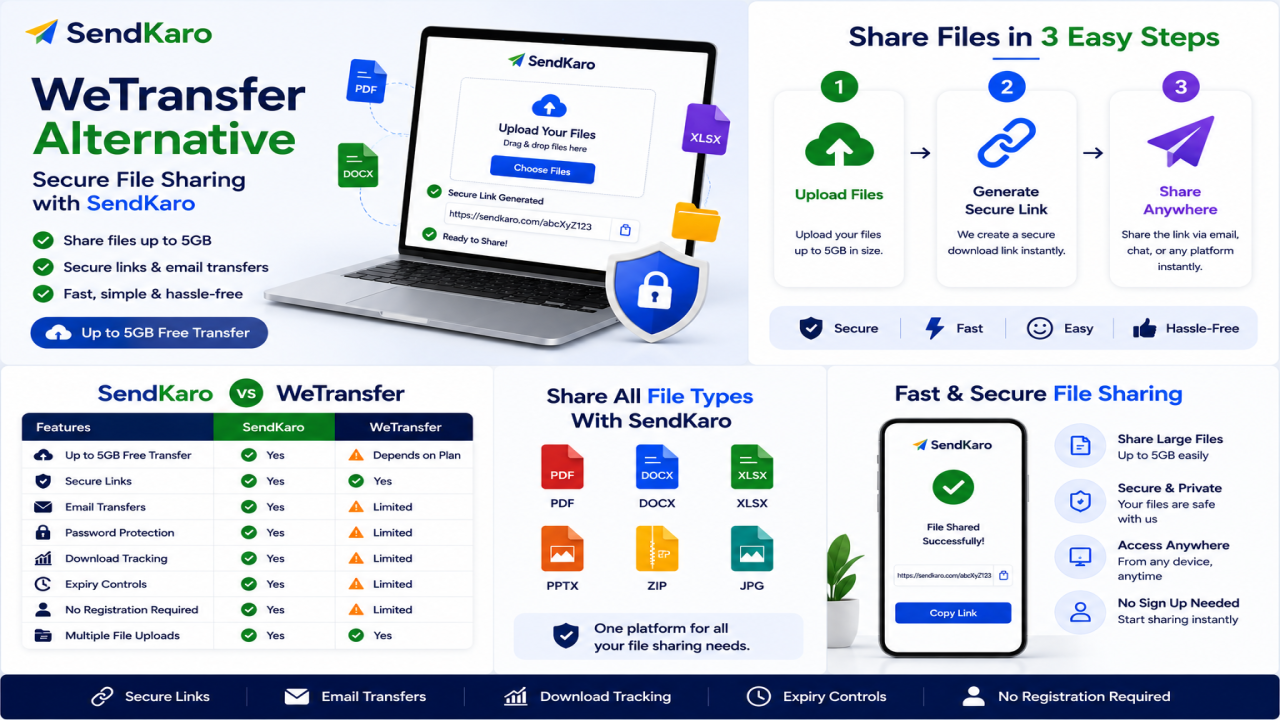

WeTransfer Alternative: Secure File Sharing with SendKaro
Introduction
Finding the right file-sharing platform is more important than ever in 2026. Whether you're a student submitting assignments, a freelancer delivering client work, a business sharing reports, or an agency sending campaign assets, you need a solution that is simple, secure, and reliable.
Many users start with WeTransfer because it offers an easy way to send files online. However, as file-sharing needs evolve, people often begin searching for a WeTransfer Alternative that better matches their workflow, security expectations, and collaboration requirements.
When sharing important documents such as PDF reports, Excel spreadsheets, contracts, research papers, or ZIP project archives, users want a platform that focuses on file delivery rather than unnecessary complexity.
This is where SendKaro comes in.
SendKaro is a file transfer platform designed specifically for secure file sharing. Instead of acting as a cloud storage service, it focuses on helping users send files quickly and efficiently through shareable links.
Whether you need to share ZIP files, JPG/JPEG images, PDF documents, or Excel spreadsheets (XLS/XLSX), SendKaro provides a straightforward way to transfer files online.
What is WeTransfer?
WeTransfer is one of the most widely known file-sharing platforms available today. It allows users to upload files and send them through shareable download links.
The platform became popular because of its simplicity. Users can upload a file, generate a link, and send that link to recipients without requiring technical knowledge.
Advantages of WeTransfer
Some of the benefits of WeTransfer include:
-
Simple file sharing
-
Browser-based access
-
Easy upload process
-
Link generation for recipients
-
Suitable for occasional file transfers
For many users, these features make WeTransfer a convenient option for sending files online.
Limitations of WeTransfer
Despite its popularity, some users look for alternatives because they have different requirements.
Common reasons include:
-
Different security expectations
-
Alternative business workflows
-
Team collaboration needs
-
Different sharing preferences
-
Project delivery requirements
-
Platform-specific limitations
As file-sharing requirements grow, users often explore platforms that better fit their daily workflow.
Why Users Look for a WeTransfer Alternative
Security Concerns
Security plays a major role when choosing a file-sharing platform.
Businesses regularly exchange:
-
Contracts
-
Reports
-
Financial spreadsheets
-
Internal documentation
-
Client deliverables
Users want confidence that files are being shared through secure processes and controlled access methods.
Business Requirements
Business users often have unique file-sharing needs.
A consultant sending monthly reports has different requirements than a marketing agency delivering campaign assets.
Similarly, a freelancer delivering a ZIP project package may prioritize simplicity and speed.
Sharing Experience
Modern users expect file sharing to be simple.
Most people want to:
-
Upload a file
-
Generate a link
-
Share the link
-
Let recipients download the file
Complicated workflows can slow productivity and create unnecessary frustration.
Ease of Use
Not everyone is a technical expert.
Students, freelancers, and small businesses often prefer platforms that work immediately without requiring extensive setup or training.
Pricing Considerations
Users frequently compare file-sharing services based on value and functionality.
Many prefer solutions that focus on practical file-sharing features rather than unnecessary extras.
Workflow Preferences
Different users work differently.
A student submitting a research paper may have completely different needs than a remote team sharing project documentation.
The best platform is often the one that fits naturally into an existing workflow.
Best WeTransfer Alternative: SendKaro
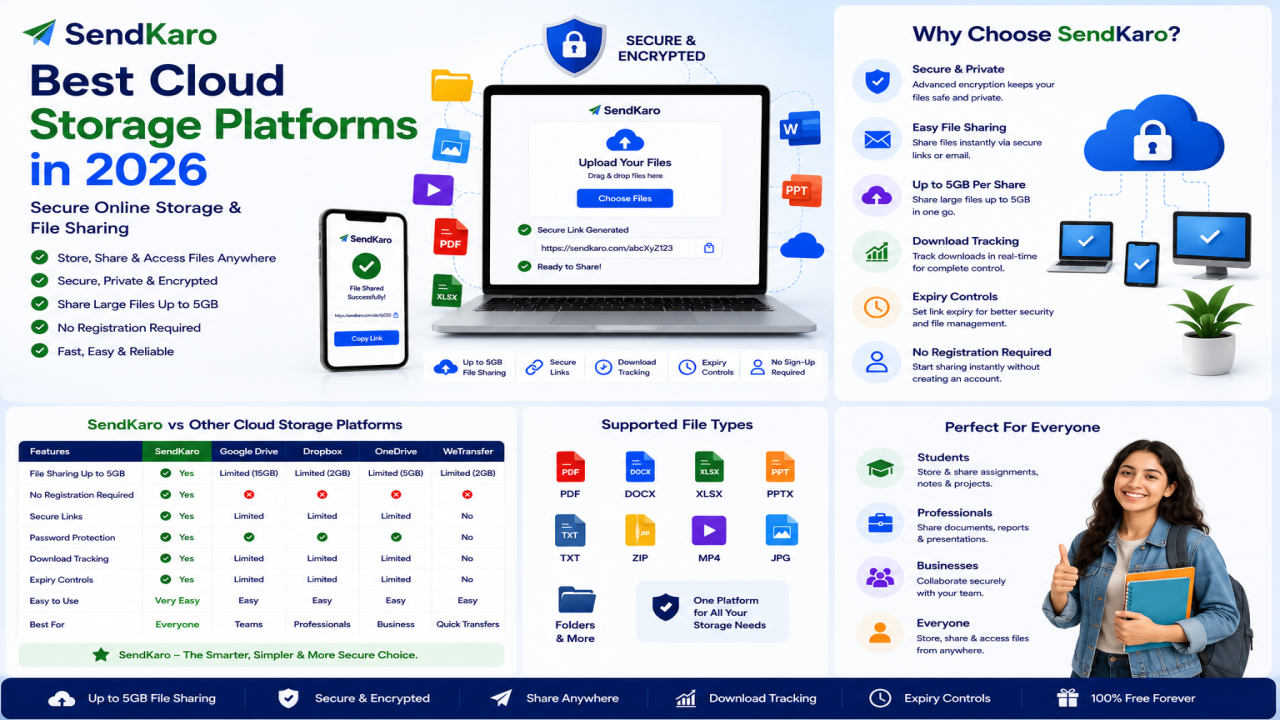
SendKaro is designed specifically for file sharing and file transfers.
Unlike traditional storage services, SendKaro focuses on helping users send files from one person to another quickly and securely.
The platform currently supports:
-
ZIP files
-
JPG/JPEG files
-
PDF files
-
Excel files (XLS/XLSX)
This makes SendKaro ideal for a wide range of professional and educational use cases.
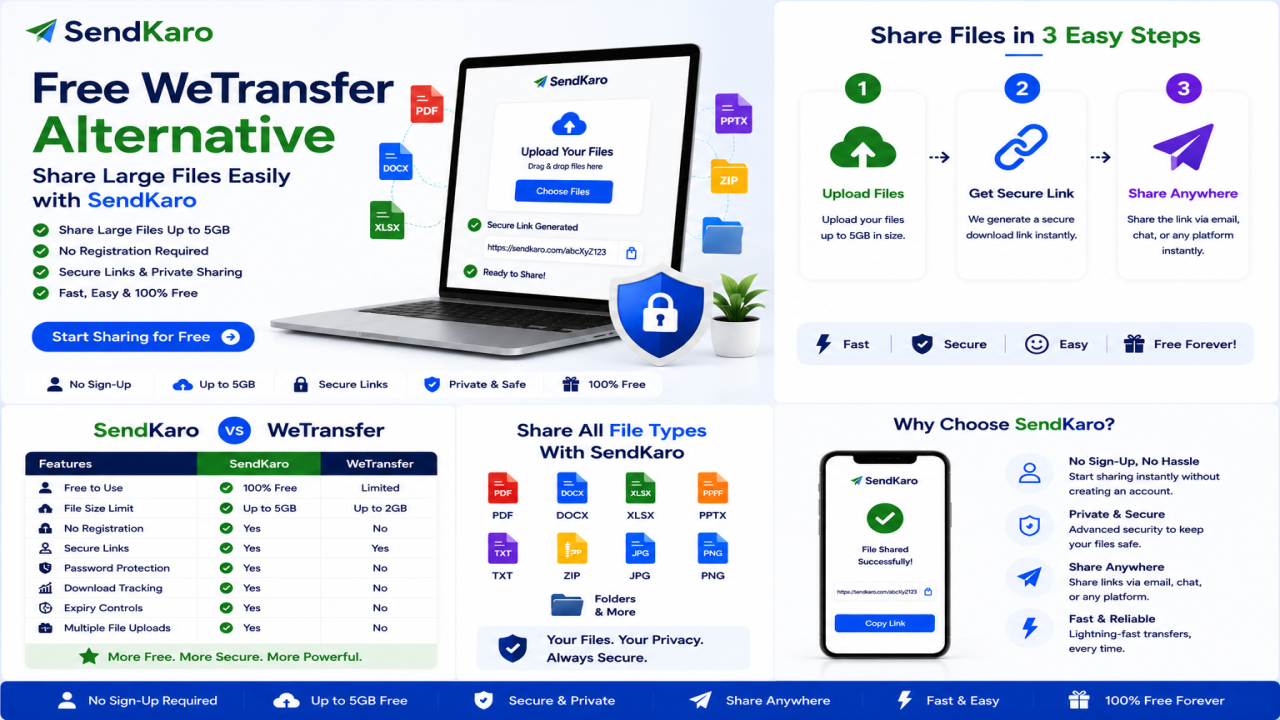
How SendKaro Works
The process is intentionally simple:
-
Select your file.
-
Upload the file.
-
Generate a secure sharing link.
-
Send the link to your recipient.
-
The recipient downloads the file.
That's it.
No complicated configuration.
No unnecessary learning curve.
Why Users Choose SendKaro
Users choose SendKaro because it focuses on the file-sharing experience.
Examples include:
-
Students sharing assignments
-
Freelancers delivering projects
-
Businesses sending reports
-
Agencies sharing client files
-
Consultants transferring spreadsheets
The platform helps users complete transfers quickly without dealing with unnecessary complexity.
Secure File Sharing Approach
Security is essential when transferring important files.
SendKaro uses secure file-transfer methods and controlled sharing links to help users share files confidently.
Whether you're sending a PDF contract, an Excel report, or a ZIP archive containing project files, secure delivery remains a priority.
Simplicity Benefits
Many file-sharing platforms add features that most users rarely need.
SendKaro takes a different approach.
It focuses on making file sharing simple, fast, and accessible for everyone.
SendKaro vs WeTransfer
Ease of Use
SendKaro
-
Simple interface
-
Fast upload process
-
Easy sharing workflow
WeTransfer
-
Simple interface
-
Familiar user experience
-
Popular among casual users
Upload Process
SendKaro
-
Upload and share in a few steps
-
Designed for straightforward transfers
WeTransfer
-
Upload files and generate sharing links
Download Experience
SendKaro
-
Direct file access through sharing links
-
Beginner-friendly recipient experience
WeTransfer
-
Simple download process through shared links
Security
SendKaro
-
Secure file transfer
-
Controlled sharing links
WeTransfer
-
Secure sharing capabilities
Accessibility
SendKaro
-
Browser-based access
-
Works across devices
WeTransfer
-
Browser-based access
-
Available on multiple platforms
Sharing Workflow
SendKaro
-
Built specifically for file transfers
WeTransfer
-
Built around quick file sharing
Supported File Types
SendKaro
-
ZIP files
-
JPG/JPEG files
-
PDF files
-
Excel files (XLS/XLSX)
Business Use
SendKaro
-
Client deliverables
-
Reports
-
Documentation
-
Internal file sharing
WeTransfer
-
General file-sharing workflows
Student Use
SendKaro
-
Assignments
-
Research papers
-
Excel projects
-
PDF submissions
Collaboration
SendKaro
-
Simple sharing process
-
Easy file delivery
File Delivery Process
SendKaro
-
Upload
-
Generate link
-
Share
-
Download
Key Features of SendKaro
Secure File Sharing
SendKaro is built around secure file delivery and controlled sharing links.
Fast File Transfers
Upload files quickly and share them with recipients in minutes.
Share Large Files
SendKaro makes it easy to share large project files, reports, and ZIP archives.
Cross-Device Access
Use SendKaro from desktops, laptops, tablets, and smartphones.
Simple User Experience
The platform is designed to be easy for both beginners and experienced users.
Quick Link Generation
Generate a shareable link immediately after uploading your file.
ZIP-Based Multi-File Sharing
Need to send multiple files?
Compress them into a ZIP archive before uploading.
This keeps files organized and allows recipients to download everything as a single package.
No Technical Knowledge Required
Anyone can use SendKaro.
The platform is designed to work without requiring technical expertise.
How SendKaro Makes File Sharing Easy
Step 1: Select Your File
Choose a supported file type:
-
ZIP file
-
JPG/JPEG image
-
PDF document
-
Excel spreadsheet (XLS/XLSX)
Step 2: Upload the File
Upload the file through the SendKaro platform.
Step 3: Generate a Sharing Link
Once uploaded, create a shareable download link.
Step 4: Send the Link
Share the link through email, messaging apps, or collaboration platforms.
Step 5: Recipient Downloads the File
The recipient simply clicks the link and downloads the file.
If you need to share multiple files, compress them into a ZIP archive before uploading.
Who Should Use SendKaro?
Students
Perfect for:
-
Assignments
-
Research papers
-
PDF submissions
-
Excel projects
Freelancers
Ideal for:
-
Project handovers
-
ZIP project packages
-
Reports
-
Invoices
Businesses
Useful for:
-
Client deliverables
-
Internal documentation
-
Business reports
-
Team collaboration files
Agencies
Great for:
-
Campaign reports
-
Client assets
-
Performance reports
Content Creators
Share JPG image collections and portfolio files efficiently.
Consultants
Transfer reports, spreadsheets, and project documentation securely.
Remote Teams
Exchange important files quickly across distributed teams.
Benefits of Switching from WeTransfer to SendKaro
There are several reasons users choose SendKaro:
-
Simpler workflow
-
Secure file sharing
-
Faster file delivery
-
Easy onboarding
-
Minimal learning curve
-
Convenient sharing experience
-
Designed specifically for file transfers
For many users, simplicity and efficiency make a significant difference.
Frequently Asked Questions
What is the best WeTransfer alternative?
SendKaro is a strong WeTransfer Alternative for users looking for secure and straightforward file sharing.
Is SendKaro free?
SendKaro offers file-sharing solutions designed to simplify online file transfers.
Is SendKaro secure?
Yes. Secure transfer methods and controlled sharing links help protect file transfers.
What file types does SendKaro support?
SendKaro currently supports ZIP files, JPG/JPEG files, PDF files, and Excel files (XLS/XLSX).
Is SendKaro cloud storage?
No. SendKaro is a file transfer platform, not a traditional cloud storage service.
Can I upload multiple files?
Yes. For multiple files, compress them into a ZIP archive before uploading.
How do I create a ZIP file?
Select your files, right-click, and choose the ZIP or Compress option available on your device.
Can businesses use SendKaro?
Yes. Businesses can use SendKaro for reports, documentation, contracts, and client deliverables.
Can students use SendKaro?
Absolutely. Students can use SendKaro to share assignments, PDF reports, research papers, and Excel projects.
Why choose SendKaro over WeTransfer?
SendKaro focuses on secure, simple, and efficient file sharing while providing an easy user experience.
Conclusion
If you're searching for a reliable WeTransfer Alternative, choosing the right platform depends on your file-sharing needs.
Many users simply want a secure and efficient way to send files online without unnecessary complexity.
SendKaro delivers exactly that.
With support for ZIP files, JPG/JPEG images, PDF documents, and Excel spreadsheets (XLS/XLSX), SendKaro provides a practical solution for students, freelancers, businesses, consultants, agencies, and remote teams.
If you're ready for a faster and more streamlined file-sharing experience, visit SendKaro.com and start sharing files with confidence today.

Comments (0)